Time slotsfor events, fairs and moves

Build-up, the event and breakdown share a tight window and many parties at the same gate.

Whether it is a stand, an event or a move: inbound and outbound deliveries need a sequence. Exhibitors, carriers and moving crews book their own window. You control doors, halls and special entrances without a separate spreadsheet per door. Event logistics and move planning use the same time-slot management, only with a different pace.

Learn more

All features and use cases of slotbase

A person with a parcel at a drop-off point, as happens in event logistics and moves.

Where fairs, events and moves stall

The schedule is hard-limited. What does not get through the door during build-up is missing in the hall later. The same tightness applies when an office or a plant moves and the loading zone is free only for certain hours.

Everyone wants to deliver in the same build-up hour

Exhibitors and their carriers aim at the first day. The gate cannot take that. Time slots spread inbound and outbound deliveries across the hours the site actually has. You plan the delivery to the fair before vehicles are standing on the forecourt.

Hall, door and floor get mixed up

Without a note, a vehicle drives to the wrong door. Notes on the booking and a map of the delivery area say which door and which limit applies, before the truck turns around.

Oversized loads do not fit the normal stream

An exhibit, a stage or a wide moving load needs a different entrance. Special entrances can be run separately instead of mixing them into the pace of the smaller vehicles.

Move planning and breakdown are a second phase

After the event the direction turns. Same doors, different times. You change the bookable windows and the blocked times without setting up another tool. A move works the same way: move-out and move-in are separate phases at the same address.

Features for build-up, events and moves

You use the same features. Only the occasion is different: a trade show, an event or a move.

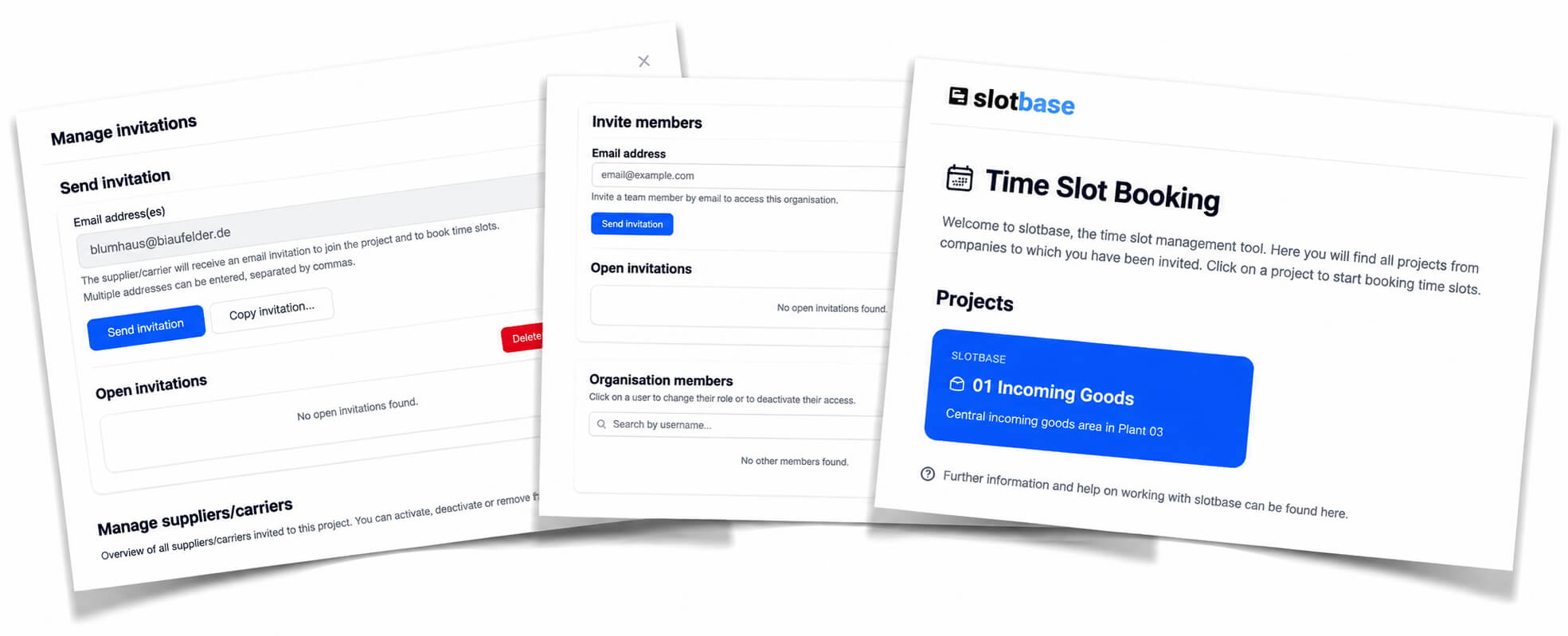
Email invitation with which exhibitors or a moving crew book time slots for a door.

Invite exhibitors and carriers

Each company involved receives an email with a link and books time slots for the areas you release. Other exhibitors stay invisible unless you release the names. After breakdown you withdraw access. The organising team can work in the board or only read. For a move you invite your own crew and external carriers the same way.
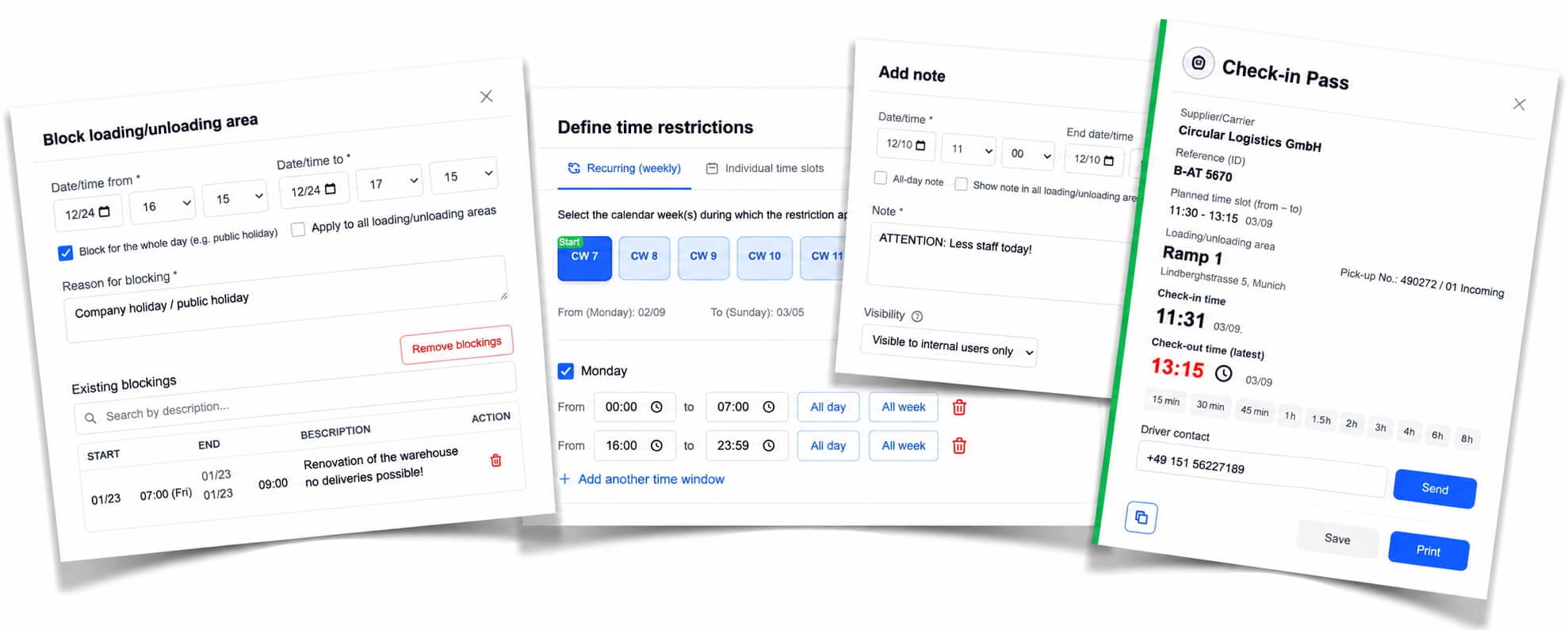
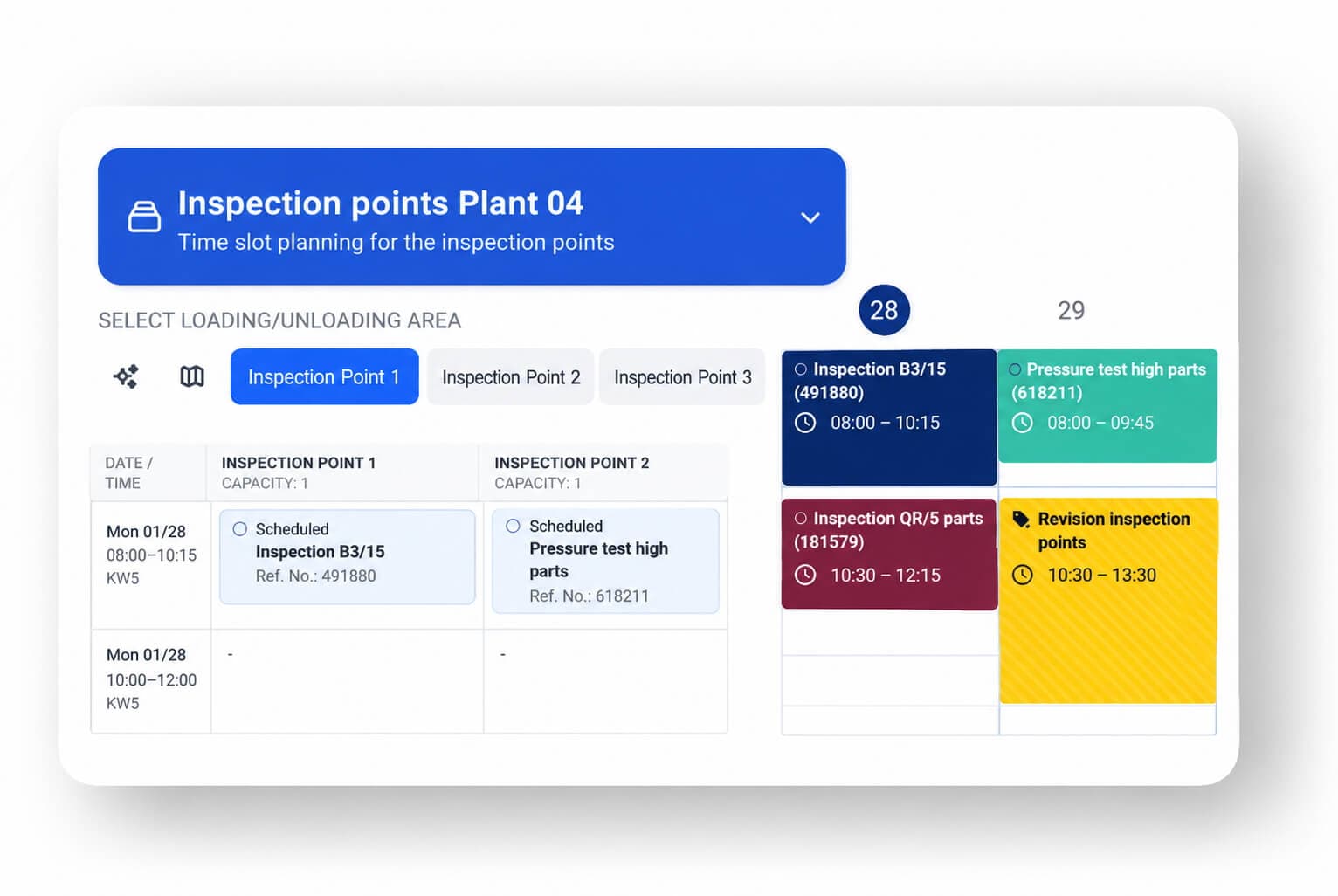
Screen for notes and blocked times at a door, usable for build-up hours and public opening hours.

Notes on door, hall and limits

On a time slot you leave notes: maximum height, delivery only as far as the gatehouse, who can be reached on site. Partners read the note in their access. Some of the individual emails and calls drop away.

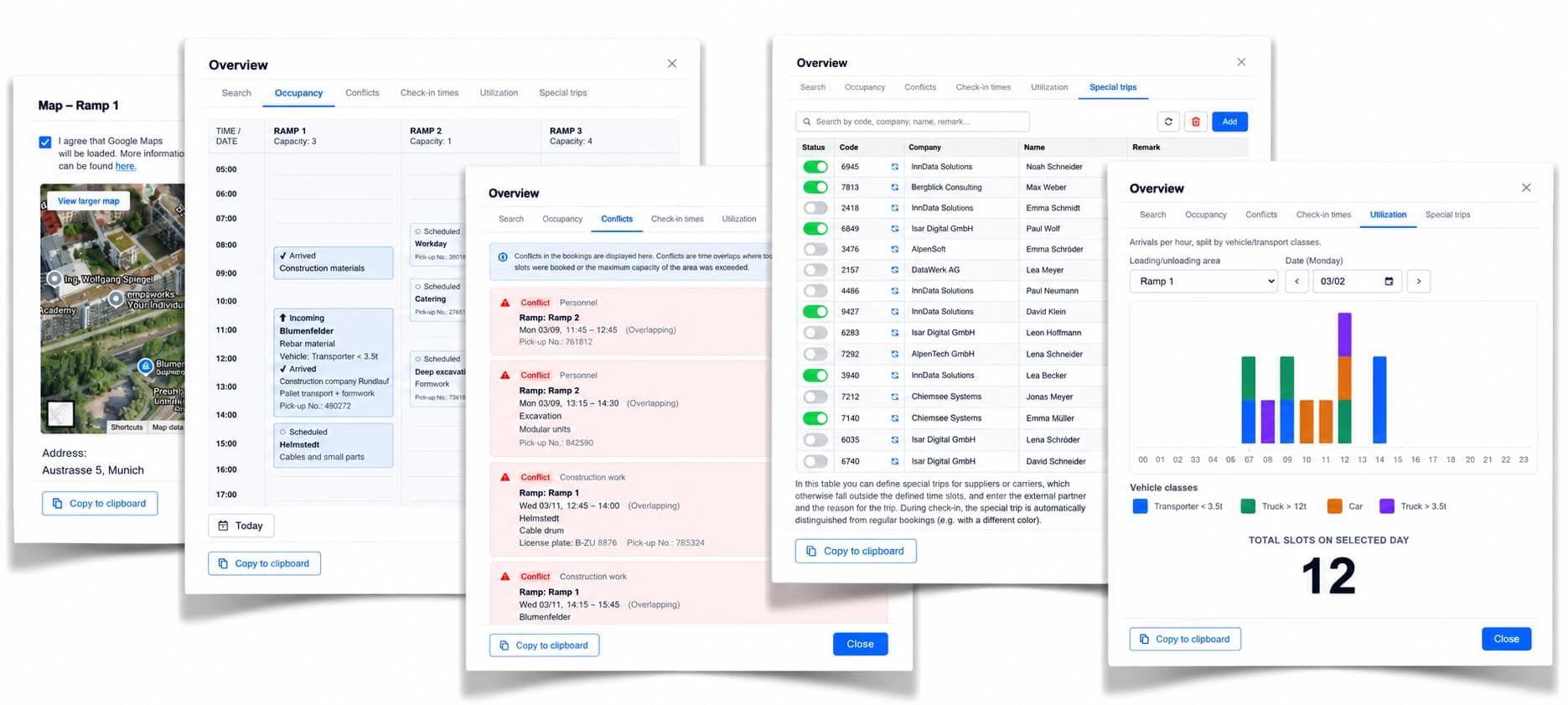
Analysis with map, occupancy, conflicts, check-in, a utilisation chart and the special-entrances area.

Run special entrances separately

Create the special entrance as its own area. Only the companies you invite there book those windows. Ordinary hall deliveries run in parallel on the other doors. You see clashes between the two streams in the same analysis view.

Utilisation charts of the gate

The utilisation charts show when the gate is full and which hours are still open. You can move the schedule before build-up crowds into a single morning. Another event, or a move at a different address, stays a separate project beside it.

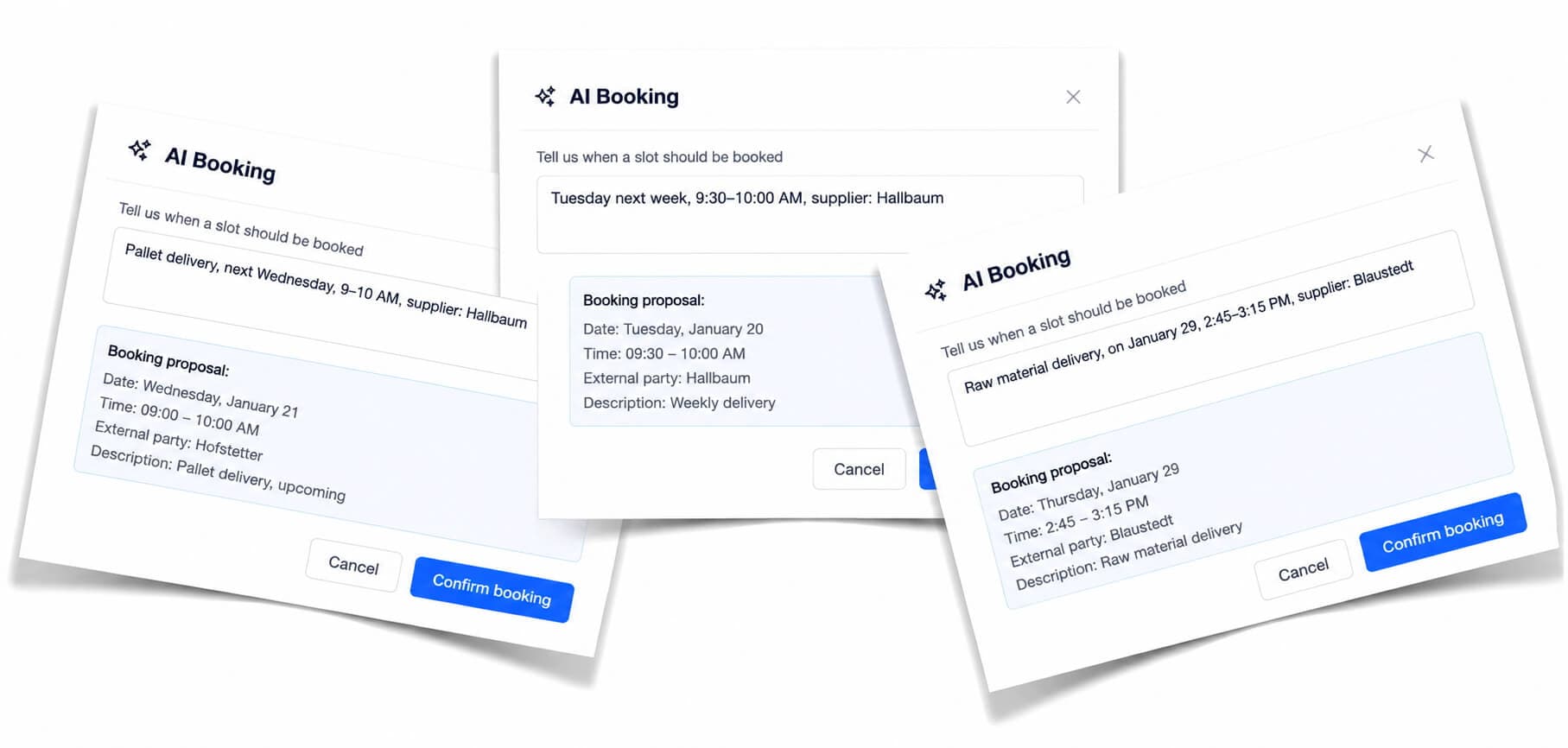
A delivery described in plain language, taken over as a time slot for build-up day.

AI-assisted booking during build-up

The organising team writes a time slot in one sentence, for example a delivery for a hall on build-up day in a named window. The booking lands on the calendar. Invited carriers can use the same path if you allow it for them.

Blocked times between build-up and public hours

When the hall opens to visitors, no forklift should pass the visitor entrance. A lock closes those times. For a move you block the hours when the building must not be loaded. The other windows stay bookable.

How it works

Three steps, then the gate has a sequence instead of a queue.

1

Create doors and phases

Build-up, the event and breakdown, or move-out and move-in, become areas with their own time rules.

2

Invite the people involved

Exhibitors, carriers or the moving crew receive the link to their area. No software is needed on site.

3

Book inbound and outbound deliveries

Each party takes a free window. You add notes, special entrances and blocked times as soon as the plan needs them.

Build-up and breakdown at a hall

Dialog for changing a time slot and moving it to another door, with a description of the delivery.
Time slots in trade show logistics

A hall has several doors and a side entrance for oversized loads. On the first build-up day the doors are bookable in hourly windows. The side entrance is its own area and is open only to companies that register an oversized exhibit.

A carrier books a morning window for one door and reads the note: approach via the signed route, stop at the gatehouse. Another company with an oversized load books the special entrance. It sees free and taken time slots, not a name list of the other exhibitors. During opening hours the doors are locked.

On breakdown day planning reverses the time rules. First the special entrance, then the other doors in a new order. The same logic carries a move: loading zone, hourly windows, a note on the approach, a lock during business hours. It stays one planning board.

Questions about fairs, events and moves

How do I plan deliveries at a trade show?

You create doors or halls as areas, set the build-up hours as bookable time slots and invite exhibitors and carriers. Each company chooses a free window. Door instructions sit on the booking as a note.

How do trade show logistics and event logistics differ here?

The same booking, a different pace. A fair works with build-up and breakdown over days. An event often has only a few hours for delivery, the show and breakdown. You set areas, blocked times and invitations to match the event.

Can move planning be mapped this way?

Yes. Move-out and move-in are phases with their own time windows. The loading zone is the area. The moving crew and external carriers are the invited partners. You leave approach notes on the booking.

How do I separate ordinary deliveries from special entrances?

The special entrance is its own area. Only invited companies book there. The other doors run in parallel and can be locked independently.

Are the names of other exhibitors visible?

Not by default. Partners see free and taken time slots, blocked times and your notes. You release the names of other companies only if the operation explicitly needs that.

How quickly can a fair team start?

The application runs in the browser. A project with doors and invitations is set up in a few minutes, with nothing installed on site. You start the trial for free. Prices are on the homepage.

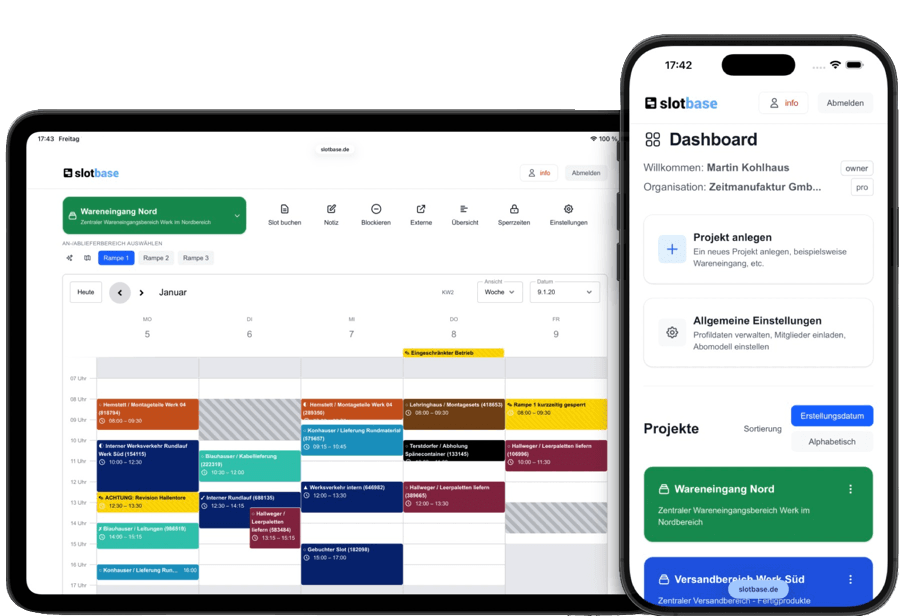
Occupancy calendar on a tablet and project overview on a smartphone, for an organising team at the gate.

Plan deliveries for fairs, events and moves

Create the doors of the next event or the loading zone of the move and invite the first partners. What continued use costs is in the pricing section.

See pricing

Get in touch

All features and use cases of slotbase