Capacity planningfor test benches, measuring rooms and labs

Internal resources get tight as soon as several teams need the same test bench, the same measuring room or the same lab.

Time slots make occupancy binding. Production, quality and development book windows, maintenance locks the test bench, and clashes become visible before two jobs fall on the same hour. Test-bench planning and lab planning run in the browser without installing a separate program.

Learn more

All features and use cases of slotbase

Laboratory corridor with glazed measuring rooms and test equipment behind the glass.

When the test bench and the lab are needed at once

The equipment is there. A shared plan often is not. Whoever reaches the door first takes the test bench or the lab. Tests that need preparation then wait in the corridor.

Departments plan past each other on the same test bench

Production and quality set the same hours, each in its own list. A shared occupancy view shows the free windows before the job goes to the test bench. Capacity planning with time slots replaces the agreement made in passing.

Maintenance and calibration drop out of the plan

A test bench that is being calibrated must not be booked. A lock closes exactly that resource for the maintenance. Neighbouring measuring rooms stay bookable. Lab planning does not have to shut the whole day.

Tests run longer than the window

Without a status it is unclear whether the test bench is still taken. A preparation note and status tracking on the time slot show whether the test is running or the room is free again. The next department sees that without asking.

External appointments mix into the internal plan

Someone collecting test pieces, or an external measuring appointment, needs a time window without seeing the internal utilisation. You invite them to the right area by link. They see free time slots and your notes, but not your internal operations.

Features for booking internal resources

Test bench, measuring room and lab are areas with times, locks and bookings.

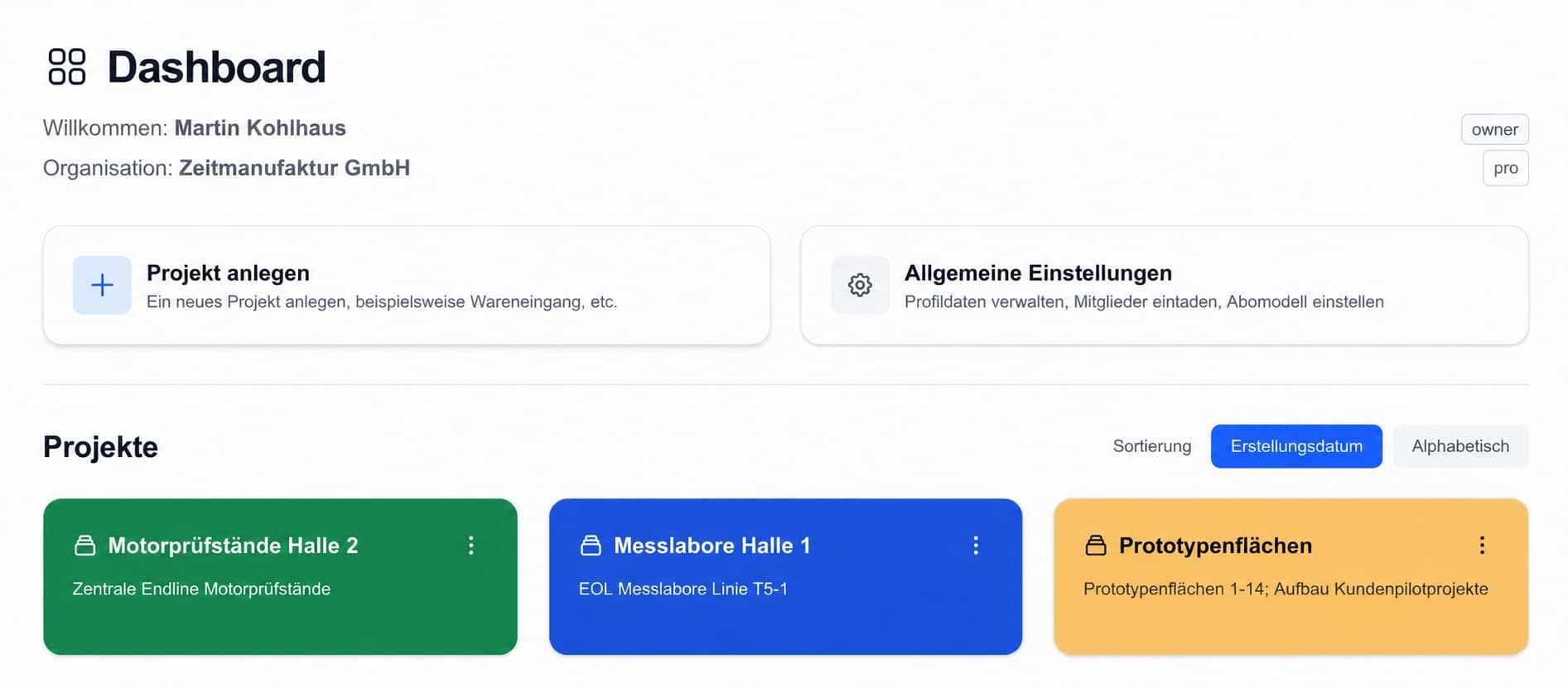
Dashboard with projects for engine test benches, measuring labs and prototype areas.

Occupancy view for test benches and rooms

Every test bench, every measuring room and every lab is an area. The occupancy view shows which window is still free. On the dashboard you manage the areas and the people who can use them. Test-bench planning stays in one place, even when several departments book.
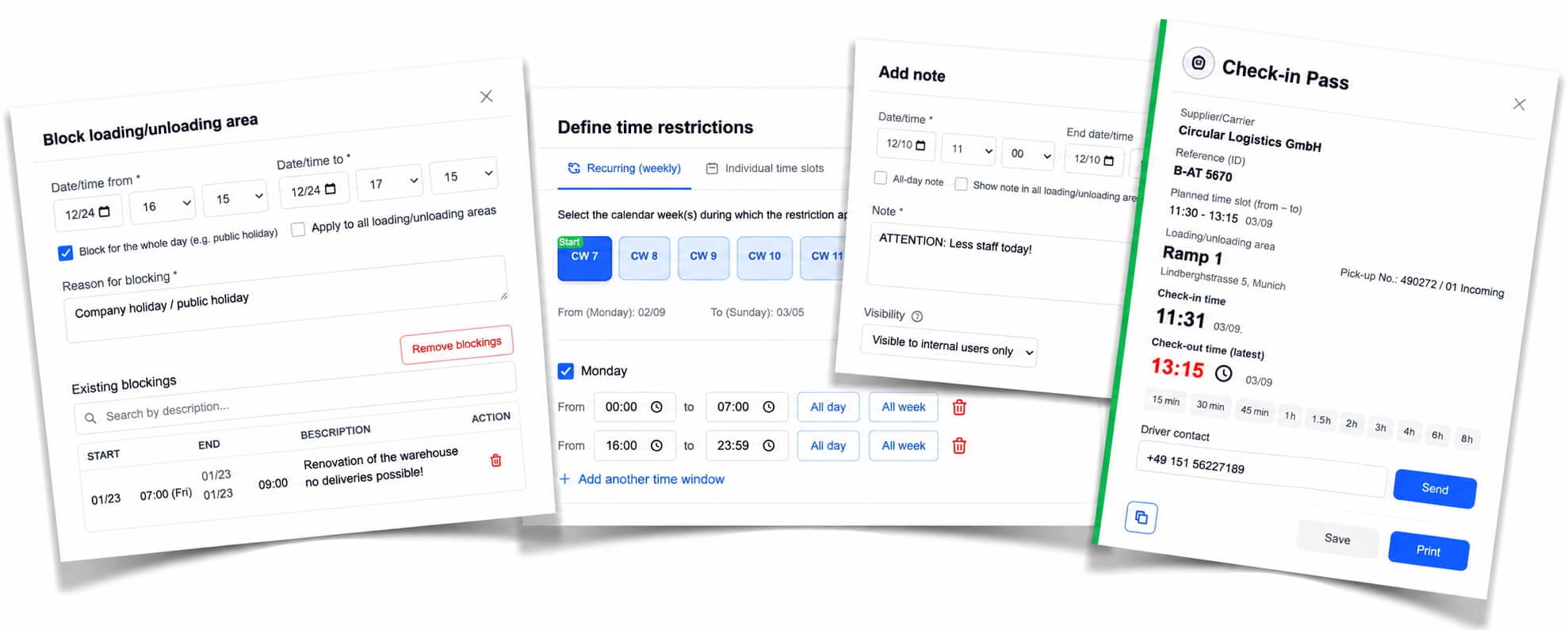
Blocked times and locks used for maintenance and calibration of a test bench.

Blocked times for maintenance and calibration

Actively manage your limited resources. A single lock closes a test station for calibration or a lab room for cleaning. No booking is possible during that time.

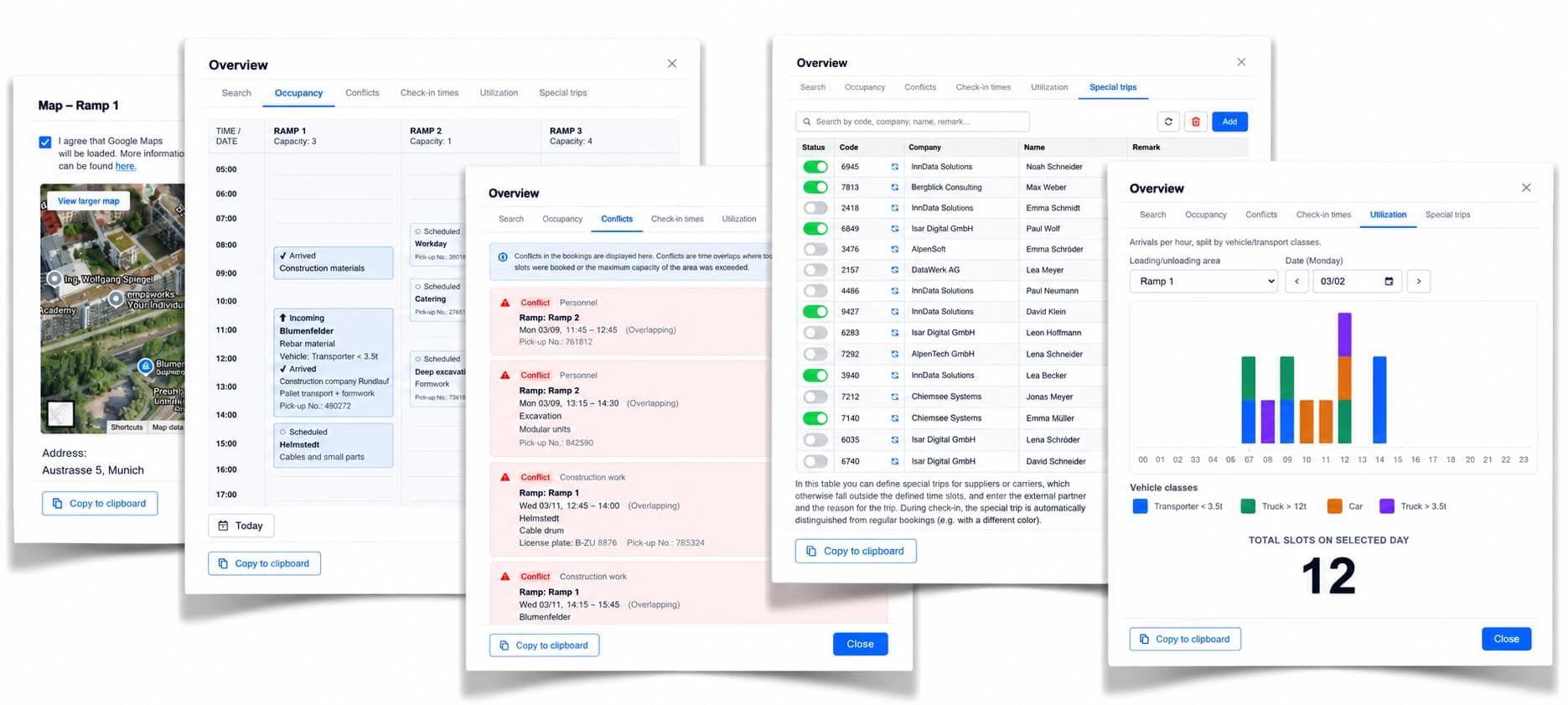
Analysis with conflict markers, occupancy and a utilisation chart across the hours of a day.

Conflict analysis when two bookings overlap

If two bookings overlap in the same lab room, conflict analysis shows the clash. You move the time window to another room or reschedule the booking. Busy and free hours also show on the utilisation charts of the rooms.

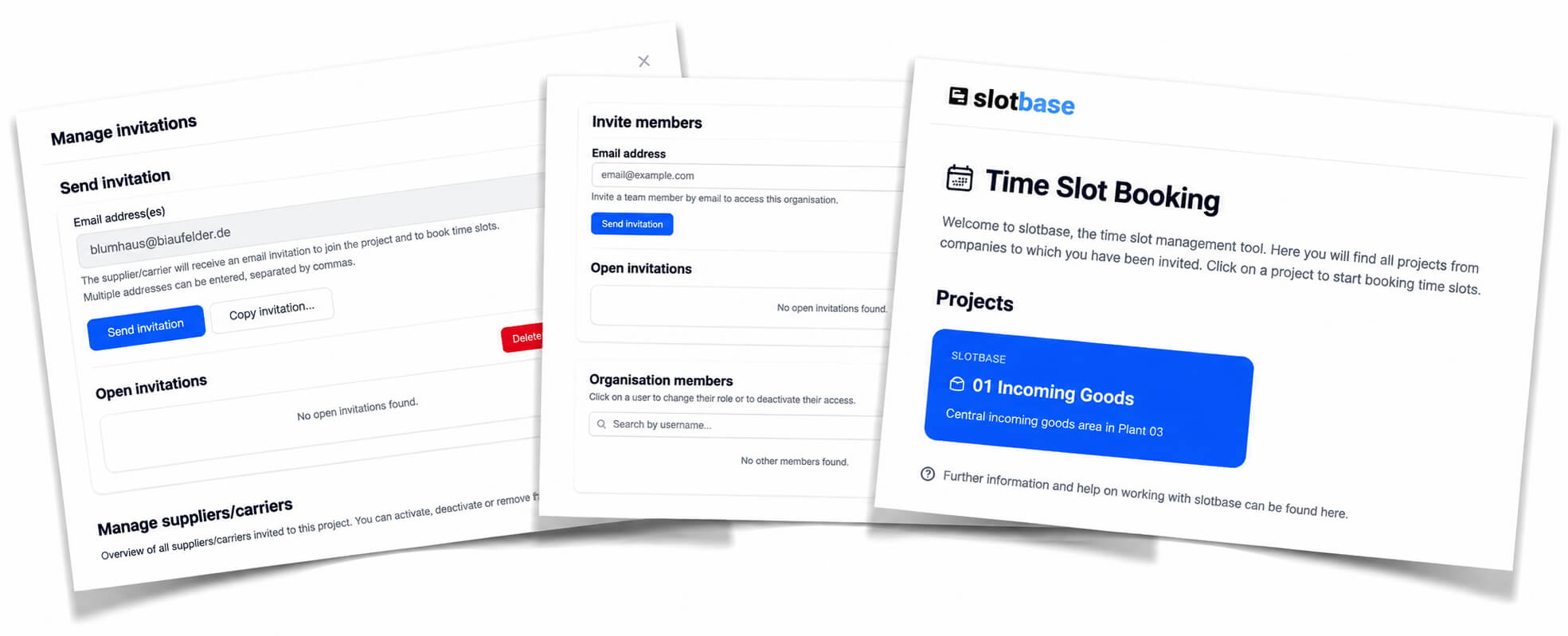
Invitation of colleagues or an external appointment into the planning board of a lab or test bench.

Invite colleagues and external partners

Invite colleagues into the planning board, with active editing or read-only access. A collector or an external measuring appointment gets the same email invitation and sees only what their own booking needs. You can withdraw access again.

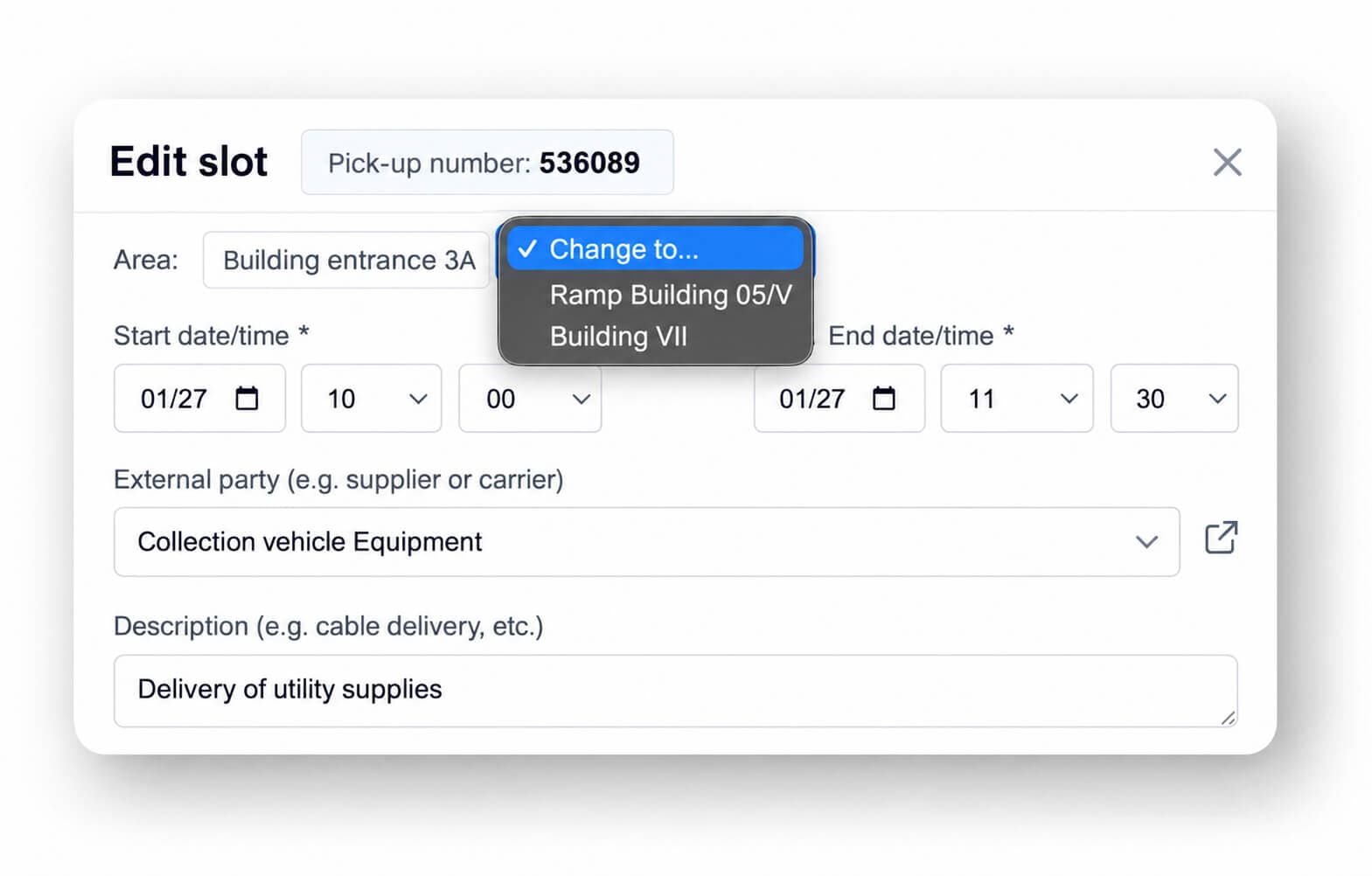
Notes for test preparation

The time slot states which equipment must be ready or which sample comes with the job. The note replaces a mail to the whole shift. The booking itself stays simple: a few clicks, a few details about the booking, and the planning is done.

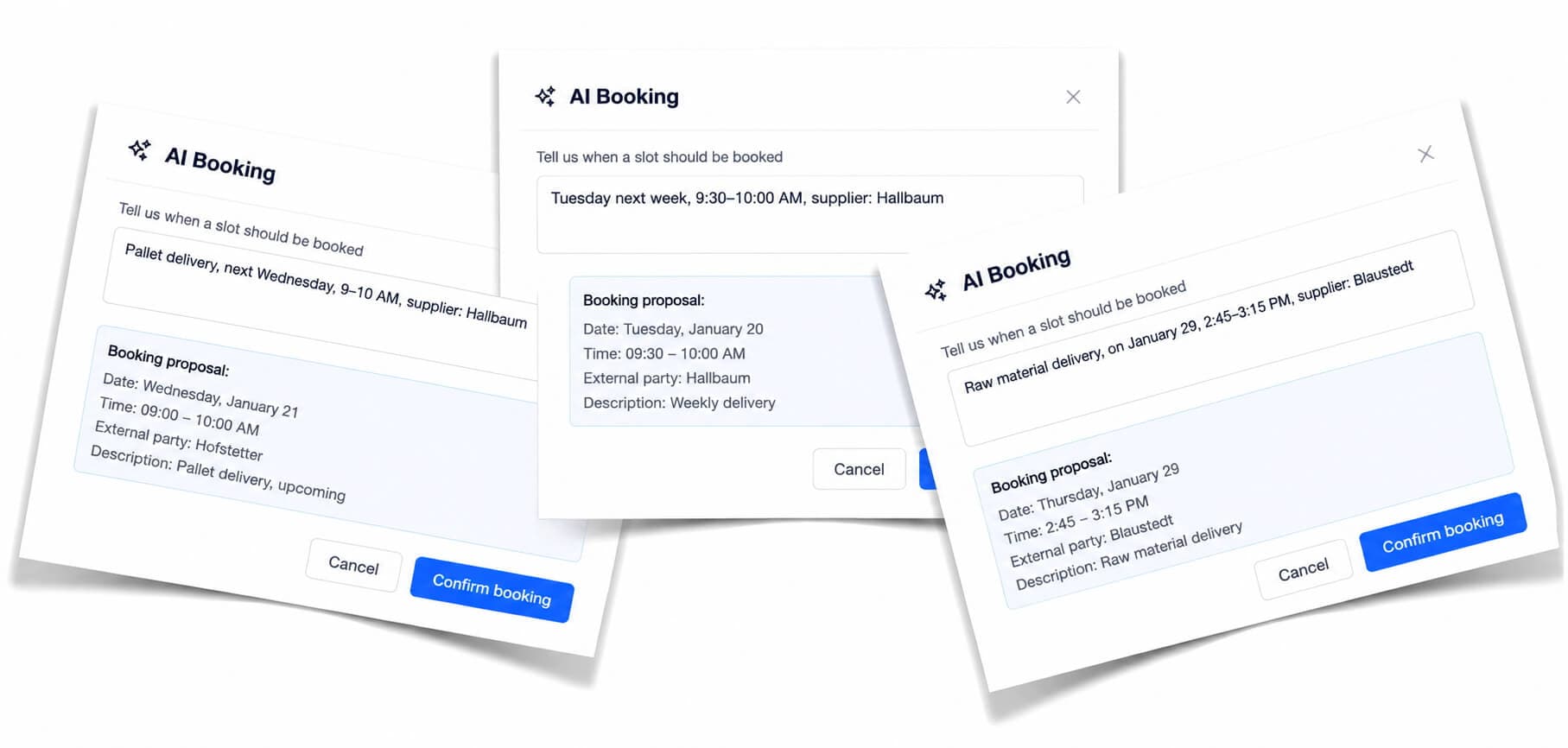
An appointment described in ordinary language, taken over as a time slot for a test bench.

AI-assisted booking of internal appointments

Write the time slot in one sentence: "Test 3/R next Thursday at 8:00". The booking is placed on the calendar.

How it works

Three steps, then the scarce resource is booked instead of only reserved in conversation.

1

Create resources as areas

Test bench, measuring room and lab get their own time rules, including the hours in which booking is not allowed.

2

Invite departments and externals

Colleagues work in the board or only read. External partners receive a link if they should book an appointment themselves.

3

Fill time slots and resolve clashes

The areas fill up through bookings. Maintenance is locked. Overlaps become visible in conflict analysis.

Plan scarce resources

Occupancy of two test benches with time slots for test runs and a marked revision.
Test-bench planning with time slots

In a factory, test benches and measuring rooms are needed by different departments. Production plans functional tests, quality carries out measurements and development needs time for trials. All of them use the same limited resources. Without central planning, double bookings, waiting times and last-minute coordination soon arise. Calibrations, maintenance or tests that run long can also affect later appointments.

Systematic booking of time slots creates transparency and commitment. Everyone involved can see which resources are available or locked and can reserve a suitable time window. If bookings overlap or a use runs longer than planned, conflicts become visible early. Test benches and measuring rooms can then be planned reliably and used together.

Questions about capacity planning

What does capacity planning with time slots mean?

Scarce resources get binding windows. A test bench, a measuring room or a lab is reserved at a given time for one booking, not for whoever happens to walk past.

How do I plan a calibration without locking the whole day?

Lock only the test bench concerned, and only the hours you need. Other areas stay bookable. Recurring breaks are set up as blocked times.

Can several departments book the same test bench?

Yes. You invite colleagues into the board, with edit rights or read-only access. The occupancy view and conflict analysis show when two time slots collide.

Do external appointments see internal jobs?

Only what you release. An invited collector sees free and taken time slots plus your notes, not automatically the names of internal bookings. Colleagues with access to the board see the entire plan.

How do I start booking a lab and a test bench?

Create the rooms as areas and invite the first department. The trial is free and runs in the browser. What a later plan costs is in the pricing section on the homepage. The fee is fixed and does not depend on the single booking.

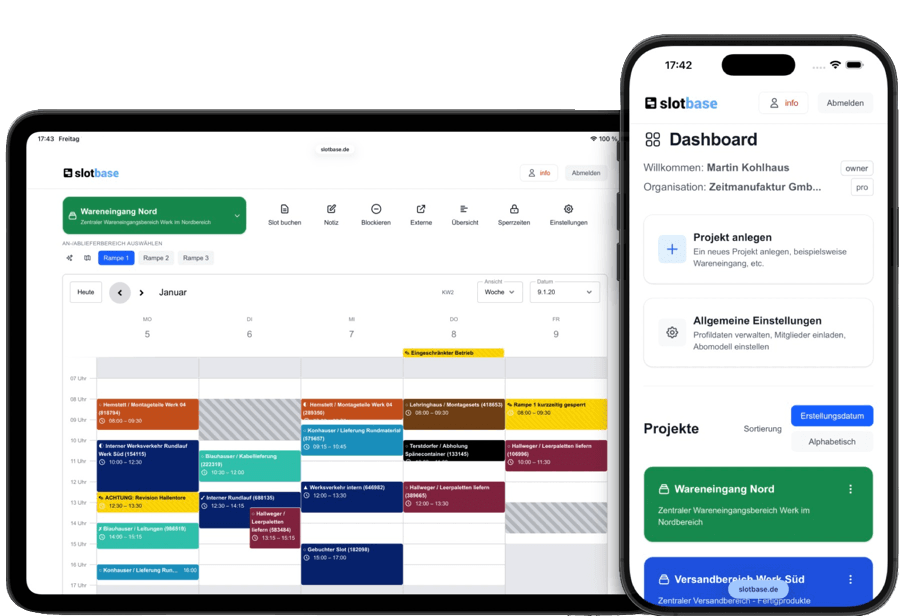
Week calendar on a tablet and dashboard on a smartphone, the same time-slot view beside a test bench or lab.

Plan test benches, measuring rooms and labs with slots

Set up a test bench, invite a department to it and follow the occupancy in real time. Prices are on the homepage.

See pricing

Get in touch

All features and use cases of slotbase