Construction logisticsfor pacing site deliveries

On a construction site the access road decides. Material that arrives unordered stands in the way of the crane, the concrete and the next trade.

Time slots let you control site traffic: when material arrives, which trade may use the area and when the access is closed to others. Suppliers book their own window. You keep the delivery areas in view, even when the site only runs for a limited time. Nothing is installed. The link opens the booking.

Learn more

All features and use cases of slotbase

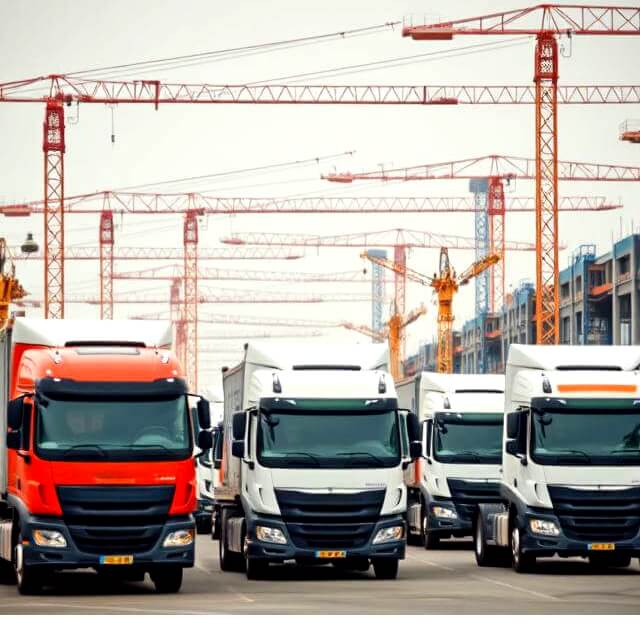
Several trucks in front of tower cranes, a picture of site traffic that needs to be paced.

Why site traffic stalls

A construction site rarely has a large yard. Crane, concrete pour, scaffolding and fit-out share one access. If you do not plan material deliveries, the queue moves onto the street and the waiting time into the trades’ sequence.

Every delivery aims at the same hour

Concrete, reinforcement and fit-out material are all announced for the same morning. The access takes one vehicle after another. Time slots spread arrivals across the day instead of leaving them to the first free moment.

Deliberately pace operations on site

While a component is being lifted or the concrete arrives, no further truck may enter that zone. A lock closes exactly that window. A side laydown area stays bookable if you have created it as its own area.

Trades do not know each other’s plan

Each trade writes to its own supplier. Site management often sees the clash only when both vehicles are at the gate. A shared occupancy view shows beforehand which window is still free. External partners do not see the names of the other companies unless you release them.

The site only runs for a while

A permanently installed yard system is more than many projects need. slotbase is built for a short start: you create the areas, invite the partners and can book without installing anything on site. When the project ends, you stop using it without taking anything down.

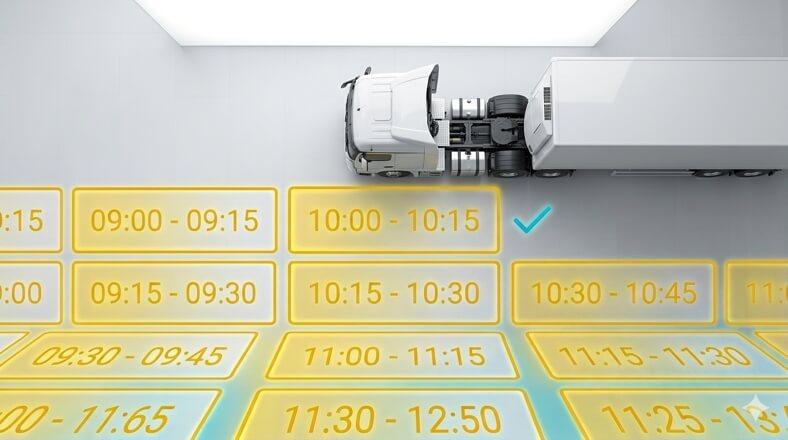
A truck above a grid of time windows, an image of pacing material deliveries.

What site control needs

Site management uses the same booking tools as at a dock, applied here to the access road, crane windows and trades.

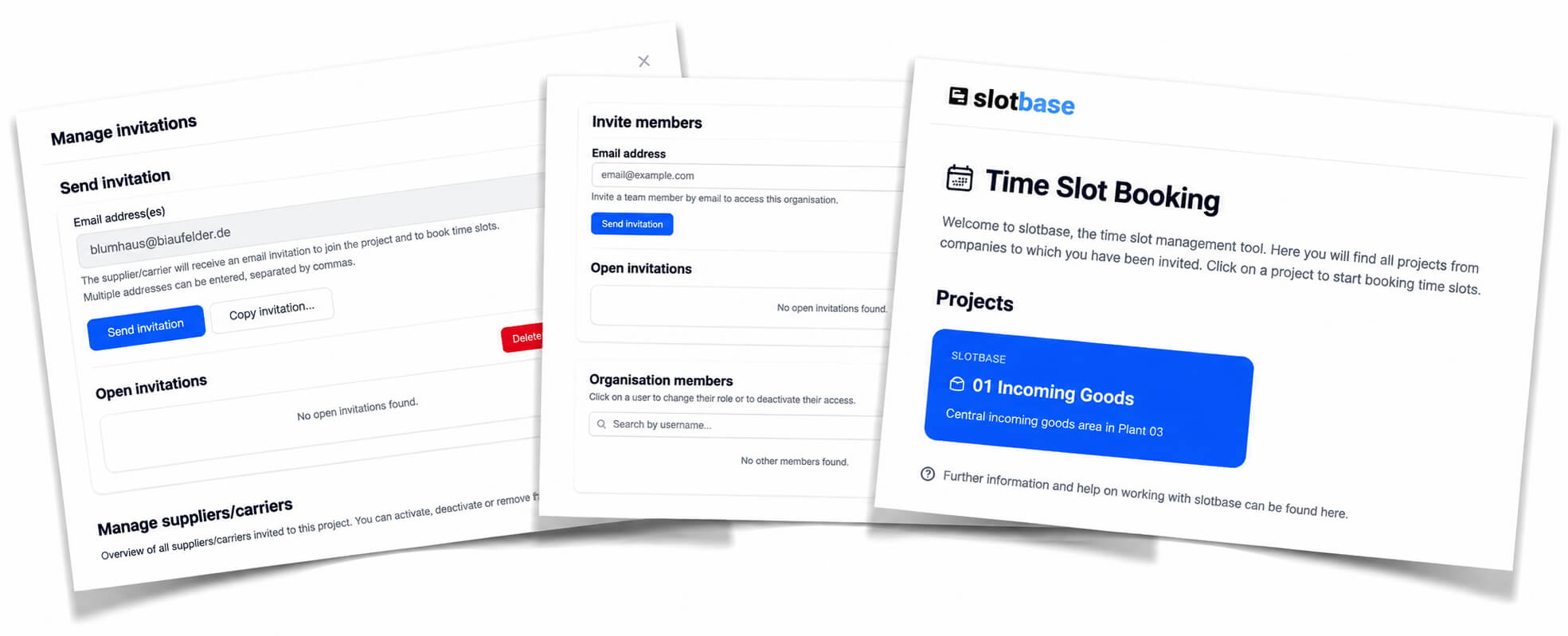
Invitation dialog used to connect trades and suppliers to the delivery areas of a site.

Invite the trades’ suppliers

Site management invites carriers and suppliers by email. The link opens the booking. Partners book only the areas they are allowed to use, and only in the released times. When a trade is finished, you deactivate access. Colleagues on the site team can book as well or only read.
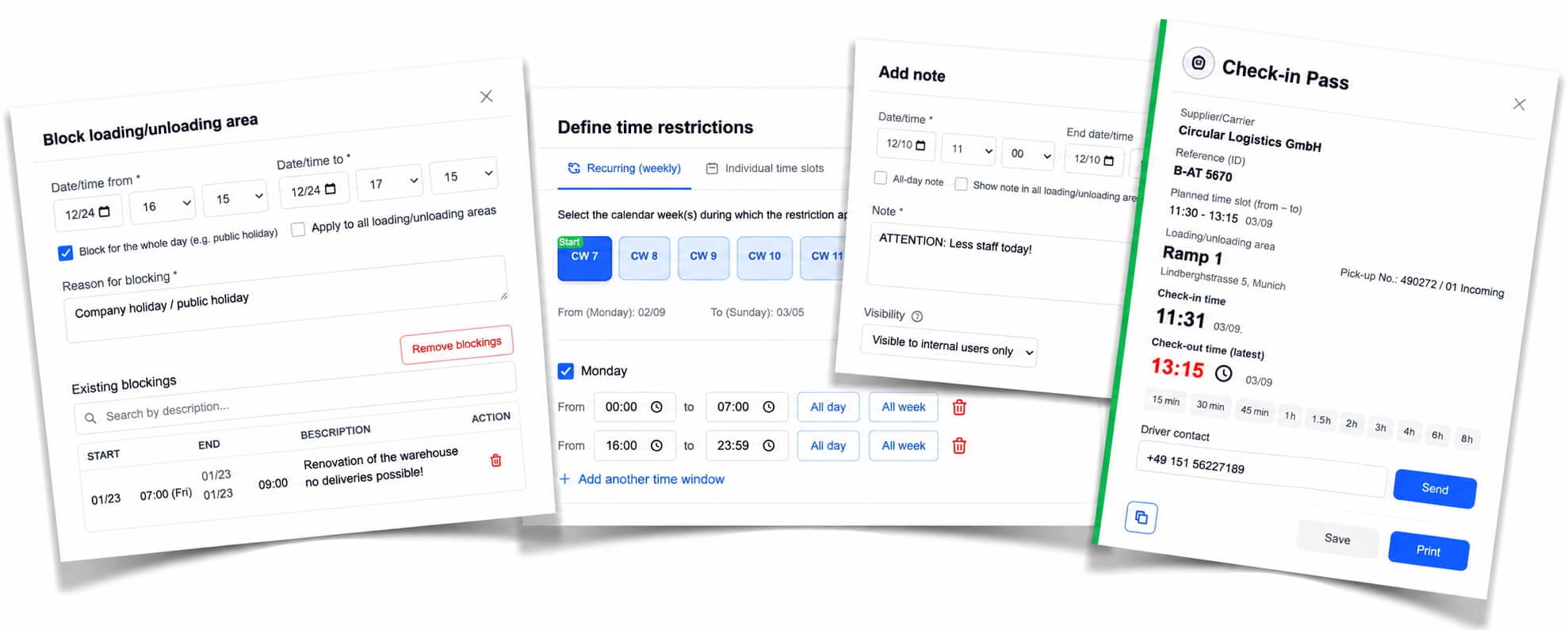
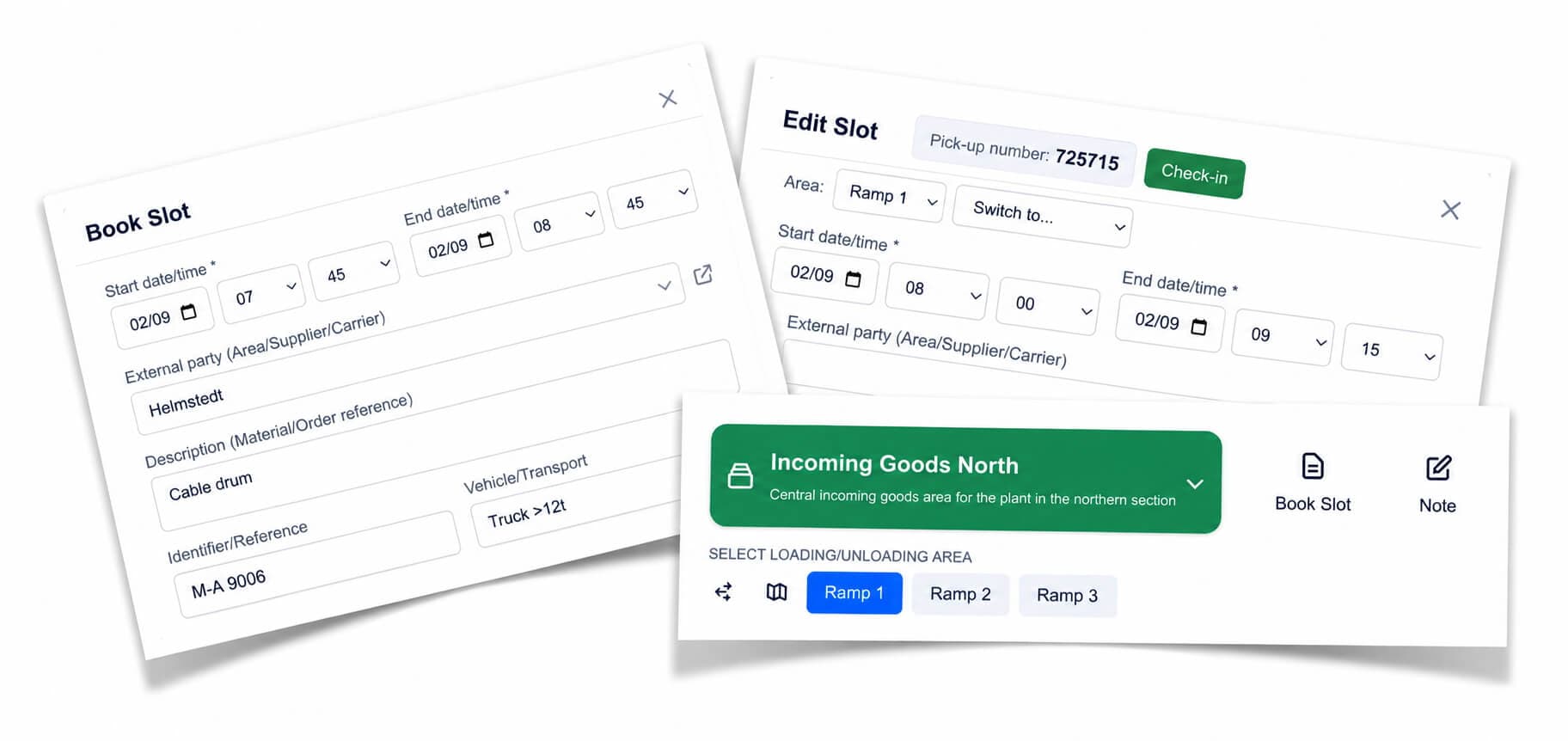
Settings for blocked times and locks, as a site access needs them for crane or concrete work.

Blocked times for crane, concrete and breaks

Save fixed breaks and a time window that only heavy transport may use as a template. If the access is out of use or the crane is working, lock only that area. No booking is possible there. Every other area on the site stays free.

Short booking screen for a material delivery with the status of the inbound or outbound move.

Book a material delivery with little data

A time slot is created without a long form. Where a hint is needed, you put it on the booking, for example which material goes to which laydown area. Status tracking shows whether the delivery is still planned or already finished. You plan material deliveries without maintaining a second spreadsheet.

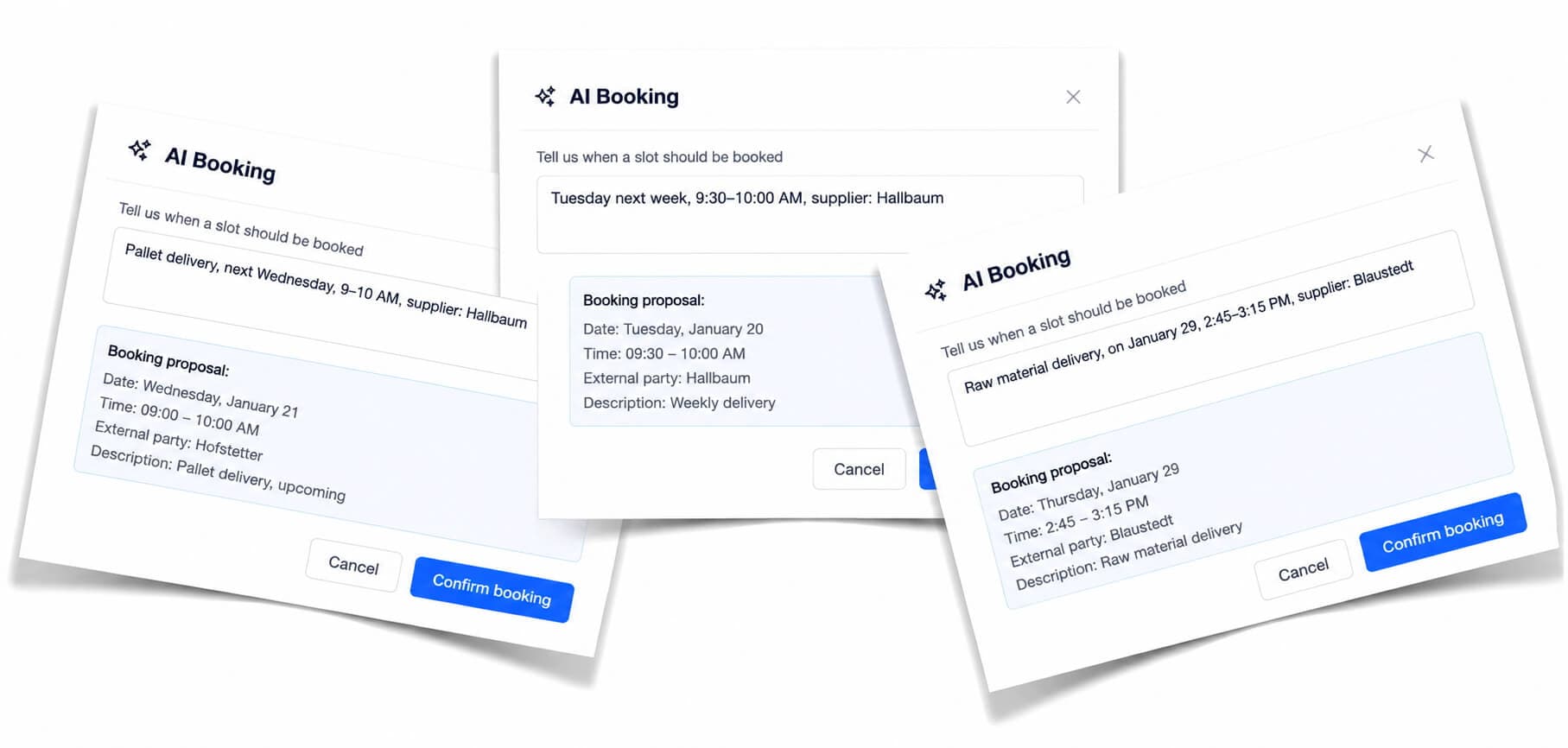
A material delivery typed in plain language, which becomes a time slot on the calendar.

AI-assisted booking on site

You describe the time slot in ordinary language, for example a drywall delivery the next morning in a fixed window. slotbase places the booking on the calendar. Site management and invited suppliers can both use it.

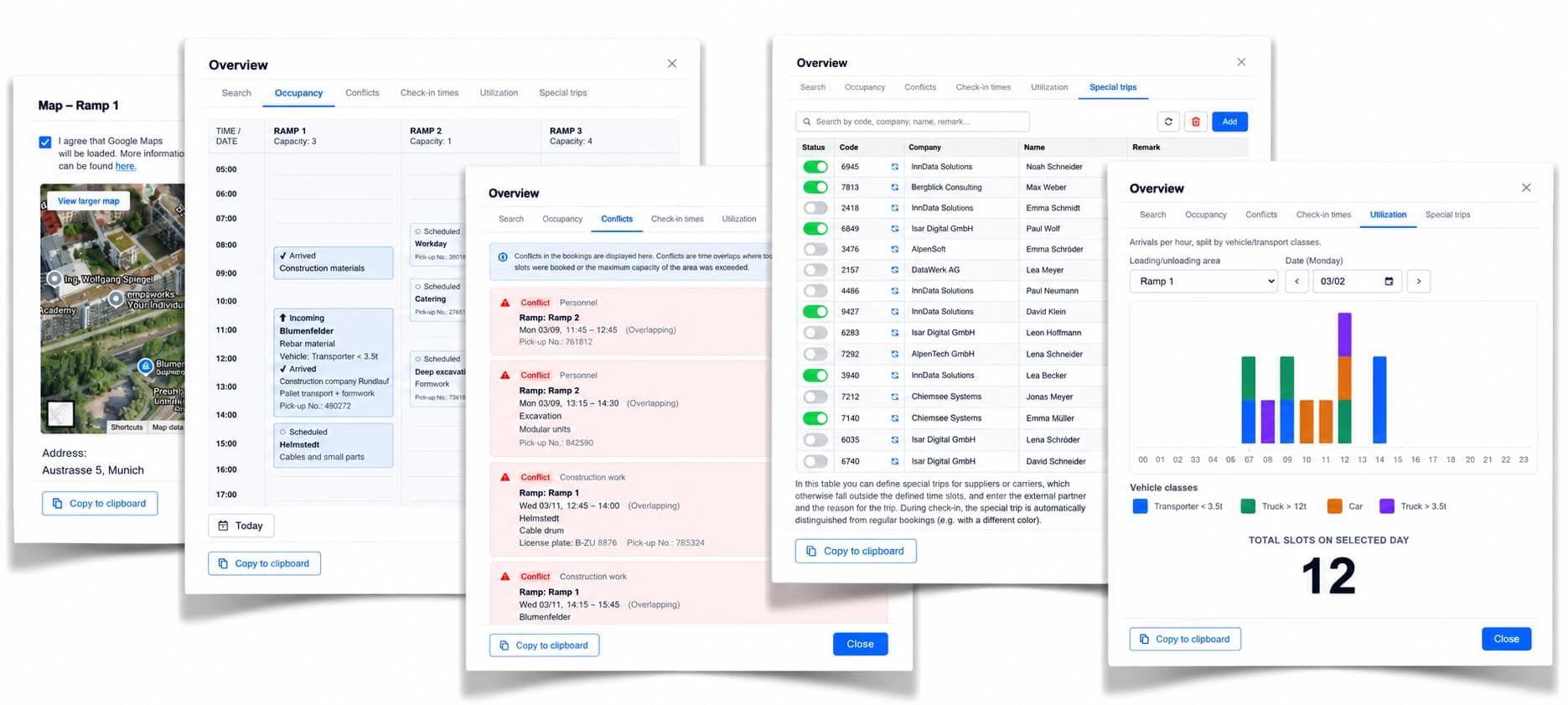
Analysis view with a map of a delivery point, occupancy, conflicts and utilisation.

Maps of the delivery areas

Attach a map to the delivery area so drivers find the right access or laydown point. The same view holds occupancy and conflict analysis when two bookings fall on the same area. A note adds what the map does not say, such as the height of a passage.

Check-in and check-out at the access

A vehicle is checked in when it enters and checked out when it leaves. You can see whether a truck still occupies the narrow access. The next material delivery starts only when the previous time slot has freed the area.

How it works

Three steps, then site traffic sits in time slots instead of separate phone calls.

1

Create the site’s delivery areas

Define access, crane zone or floor as bookable areas, and the times in which deliveries are allowed.

2

Invite trades and suppliers

Each company receives a link to the areas that concern it. There is no local software to learn.

3

Place material deliveries in time slots

Partners book free windows. You lock what the build sequence cannot accept and follow the status of the delivery.

How a paced material delivery runs

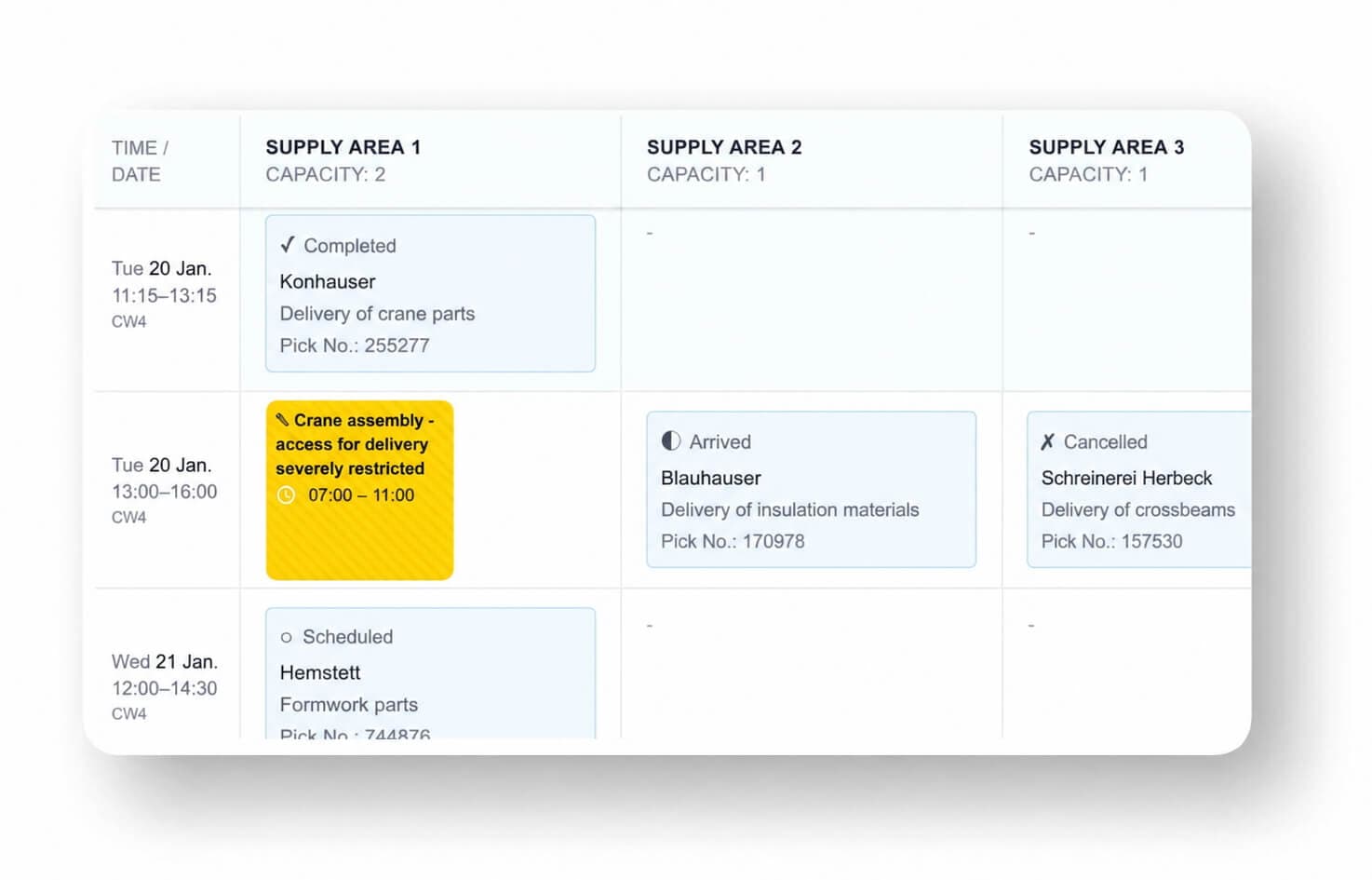
Planning board with three delivery areas, delivery status and a note that access at the crane is only partly usable.
Pacing construction deliveries

A shell building has a narrow access. The morning is kept for concrete, and other deliveries are locked in that window. From midday the fit-out trades book time slots for pallet goods at a side laydown area. The map on the area shows which entrance to use.

A fit-out supplier opens the invitation and sees free afternoon windows. The morning is locked. The supplier does not see the names of the concrete vehicles. Site management puts a note on the afternoon: deliver only up to the barrier, not under the crane. When the truck arrives, the access checks it in. After unloading comes check-out, and the area is free for the next time slot.

If the pour runs long, site management extends the lock. Bookings that fall into the blocked time show up in conflict analysis. The affected suppliers receive a later window. The other areas continue.

Questions about construction logistics

How does time-slot management help site traffic?

It spreads arrivals across free windows and locks times when the access is needed for a particular trade. You control site traffic instead of serving vehicles in the order they happen to arrive.

Can several trades use the same access?

Yes. Create the access as an area, or separate crane, gate and laydown. Each trade books only where you invite it. Conflict analysis shows overlaps.

How do I plan a material delivery that may block the gate only briefly?

Assign short time slots. Status tracking plus check-in and check-out show whether the vehicle has already freed the area or is still in the access.

Does this fit a site with a short life?

Yes. Nothing is installed on site. You create the project, invite the suppliers and stop booking when the site is finished. You can start within a few minutes.

What does controlling delivery traffic cost?

You try slotbase for free with a limited number of bookings. After that a fixed fee applies, independent of how many time slots run. Suppliers do not receive an invoice. The actual prices, and cancellation without a minimum term, are on the homepage.

Do drivers need training?

No. Booking runs in the browser through the invitation link. There is no on-site program to learn. You put access instructions on the time slot as a note.

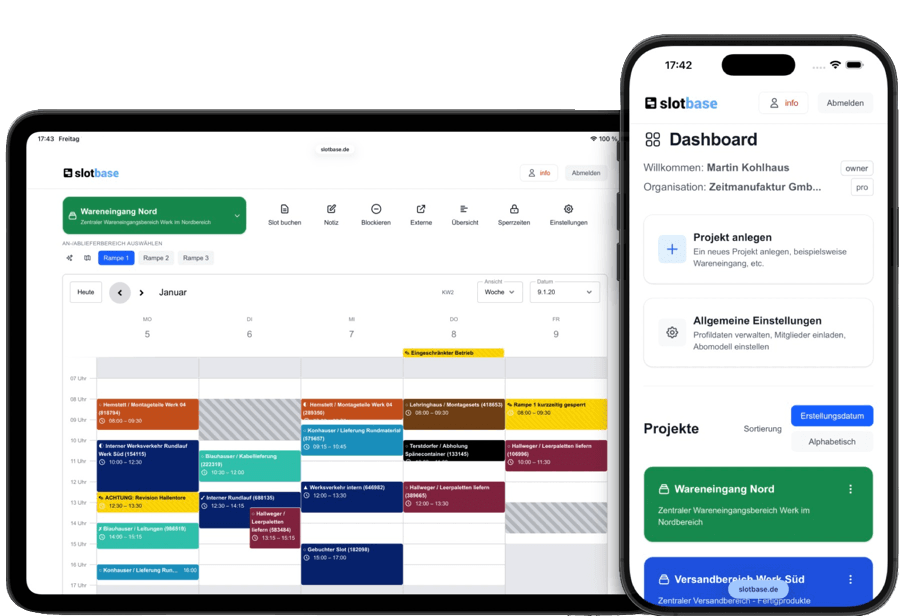
A tablet with the occupancy calendar and a smartphone with the project list, for site management away from the office as well.

Pace delivery traffic on the site

Create the access, invite one trade and check the flow on a real delivery day. Prices and scope are on the homepage.

See pricing

Get in touch

All features and use cases of slotbase